
Power ActionsAppfire
Customizable toolbar for issues screen. Simplify workflows, add power actions to tickets & gather user input before transitions

Vendor
Appfire

Product details
Customizable toolbar for issues screen. Simplify workflows, add power actions to tickets & gather user input before transitions
Configurable. Completely configurable
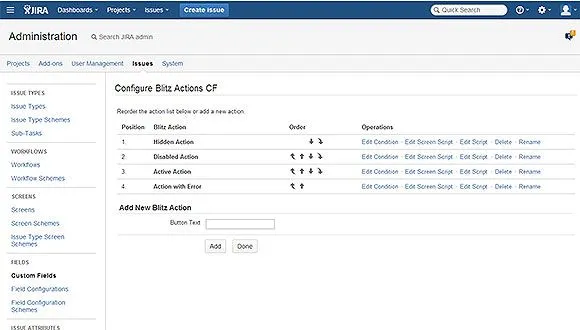
You can configure pretty much everything. Add and remove actions, modify their order, specify whether a button should be available, hidden, or disabled; use SIL® scripts to build forms for users to input data, and so on.
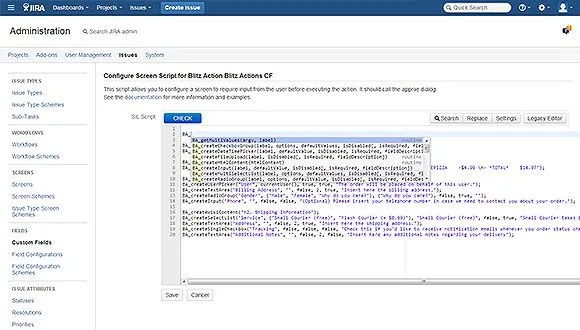
Use SIL® scripts to customize your actions
You can easily configure actions and wizards with SIL®. Use powerful SIL® routines for increased productivity.
See results right away!
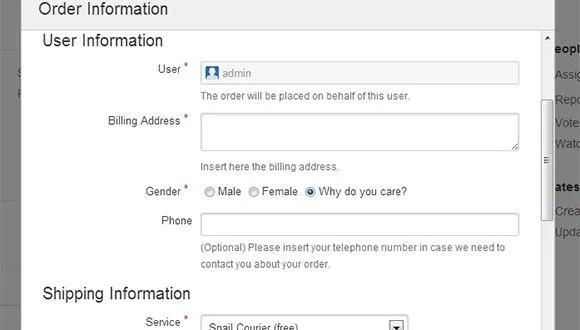
You can instantly see your dialogues. And your co-workers will envy your Jira mastering skills.
More details
Power Actions® for Jira is a unique app for creating dialogues and wizards on the fly. It provides a customizable toolbar to your issue screens. Key features:
- add actions to a ticket and simplify workflows
- gather user input before performing a transition
- add wizards - design an entire flow inside a single button Power Actions is powered by SIL®, so you can do pretty much anything with that action:
- define button conditions
- add HTML, WIKI content, multiselect / select fields, date, file, and user pickers, and so on
- define actual actions performed when the user clicks the button With SIL®, we created a power portfolio for Jira: apps like Power Scripts™ for Jira, Power Database Fields PRO®, and Power Custom Fields PRO® are relying on SIL®scripting capabilities. The Appfire platform features dozens of top-selling apps that help teams worldwide solve big challenges.
Find more products by category
Team Collaboration SoftwareProject Management SoftwareDevelopment SoftwareView all