
Improve Jira's performance and reduce time and effort spent administering large instances. Optimize, automate, and gain complete system transparency.

Vendor
Appfire

Company Website
Your powerful tune up tool
Improve Jira's performance and reduce time and effort spent administering large instances. Optimize, automate, and gain complete system transparency.
Key benefits
Full transparency across your instance
Get instant visibility and details into element dependencies and relationships across the instance. Search and find a configuration element with end-to-end information about its usage with a few simple clicks.
Change impact analysis
Evaluate the impact in real-time for any considered change or system clean-up and securely introduce those changes across the chain of dependencies without breaking a configuration or disrupting day-to-day activities..
Deep system clean-up and performance improvement
Optimize your Jira instance, regardless of its size. Do a Jira configuration analysis and understand complex dependencies of any element within minutes. Safely remove configuration elements that are no longer needed.
Make Jira faster, wiser, and more transparent
Power Admin’s features help you automate work, solve difficult administrative tasks, and safely introduce corruption-free configuration changes across all elements.
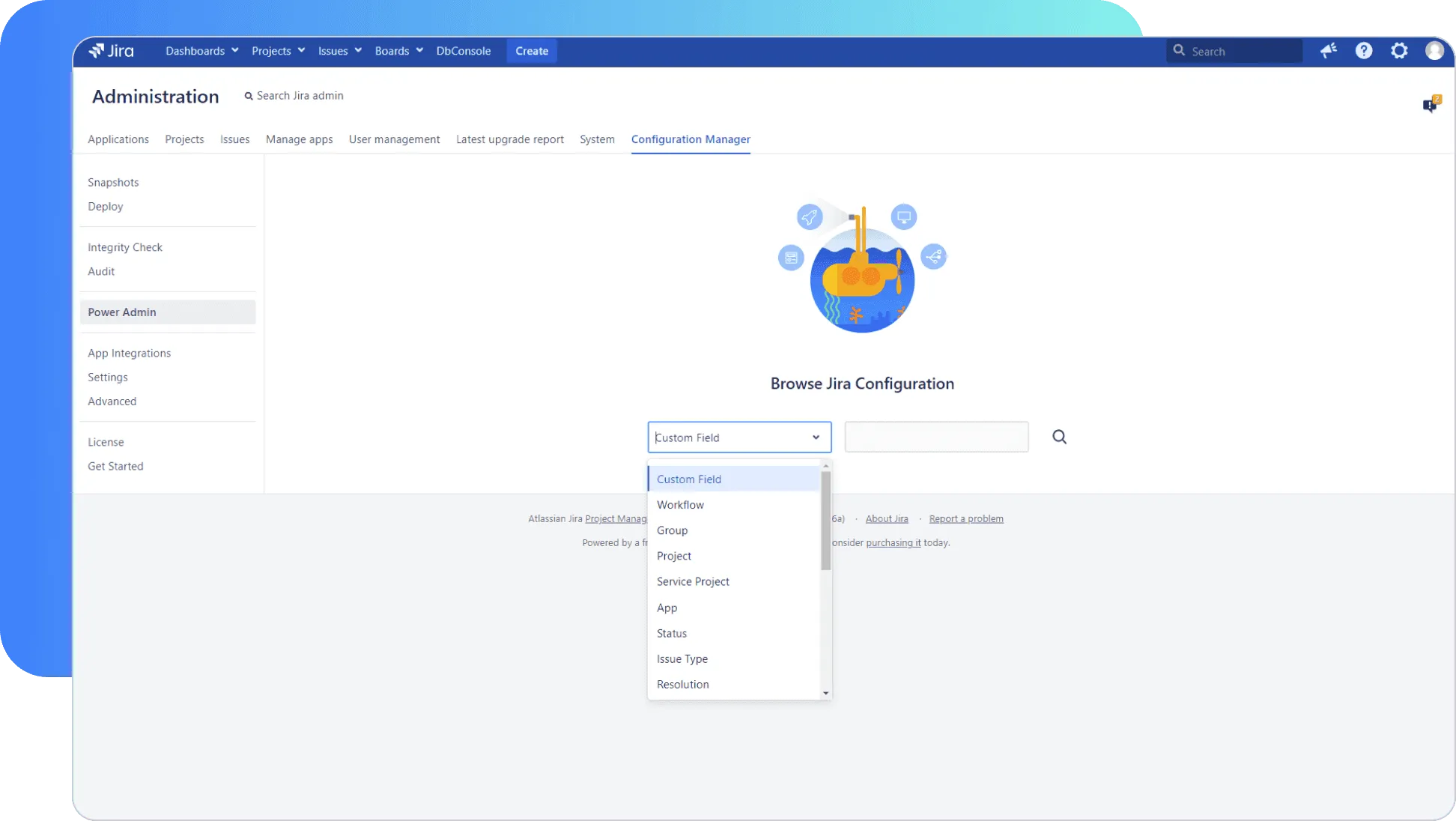
Use faster and detailed search UI
Find the information you need faster than before. The simple, intuitive search interface enables you to search and filter any configuration element and its dependencies by its type, name or ID.
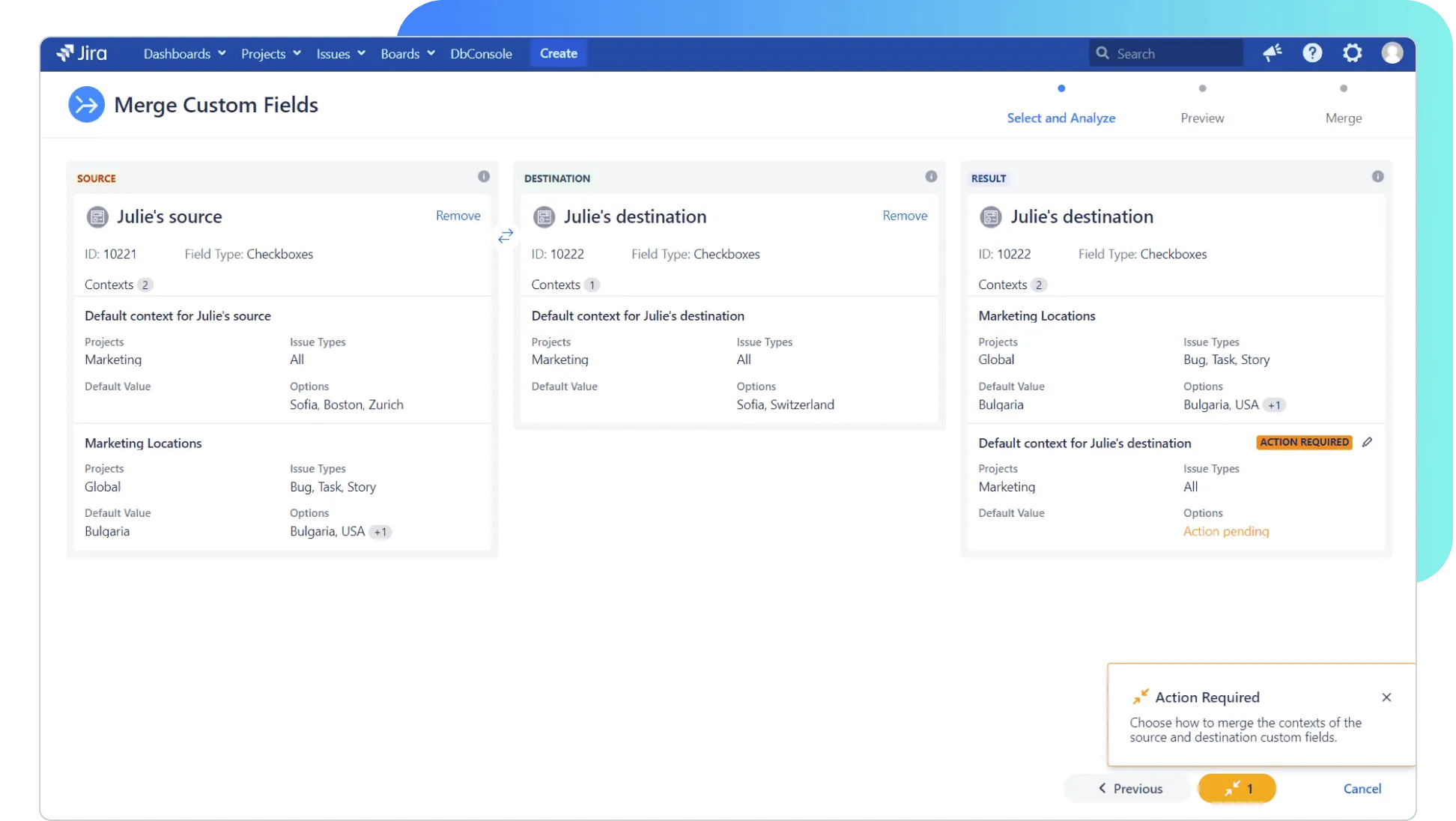
Easily merge custom fields
Use an intuitive, quick way of merging two custom fields of the same type and confidently resolve conflicts along the way.
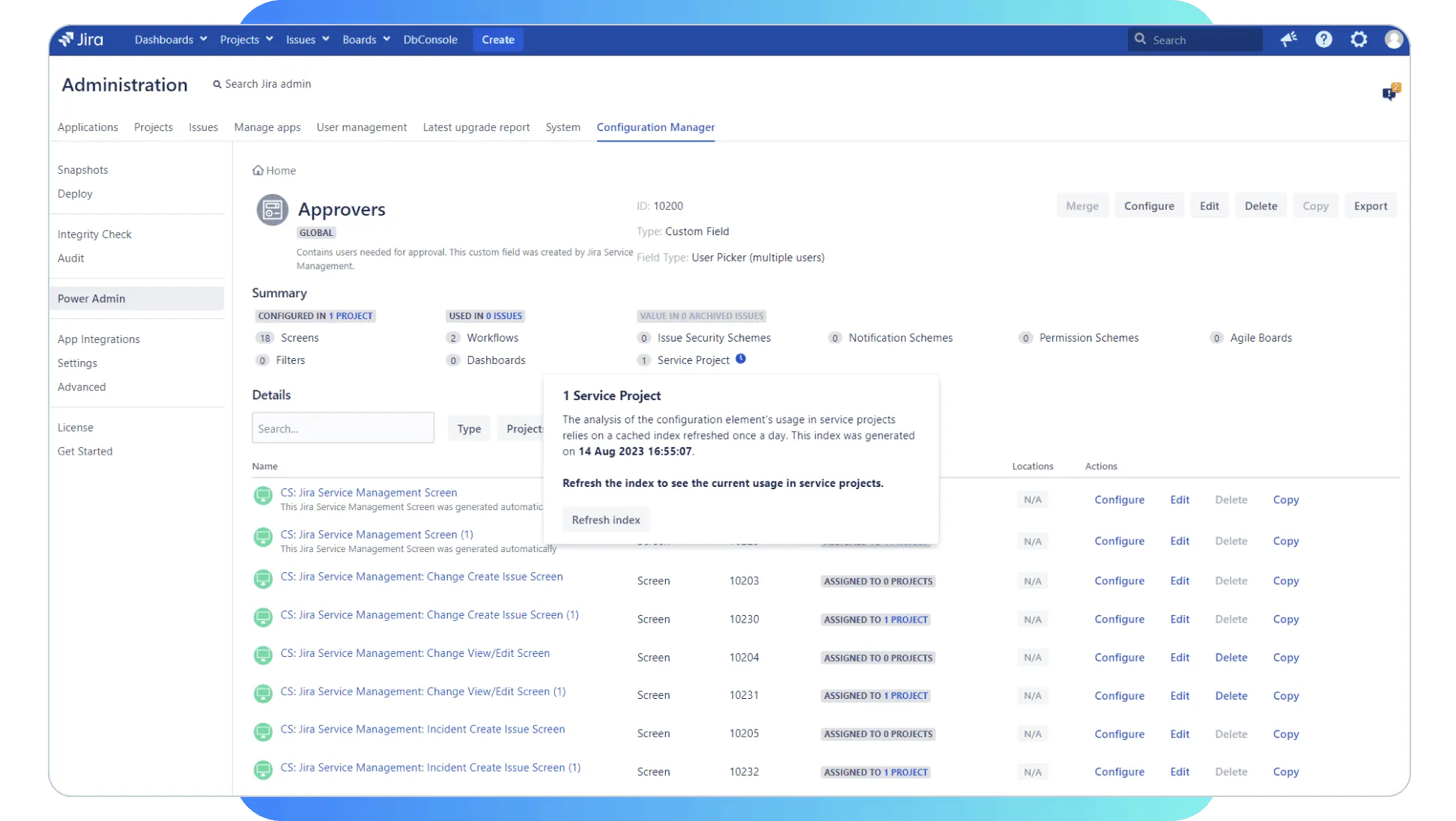
Find Jira Service Management Projects
Use an intuitive, quick way of merging two custom fields of the same type and confidently resolve conflicts along the way.
More features
Locate all user-installed apps & understand usage
Optimize use of resources by understanding the usage of all user-installed apps on a Jira instance. This helps to plan in renewing/upgrading licenses as well as minimizing costs, downtime and the impact on end users.
Execute smart changes
Perform different actions, like configure, edit, copy, delete for each configuration element without worrying to break other elements.
Use built-in tips to fix configuration errors
Discover errors in project configurations' integrity, using the built-in root cause analysis and tool tips. Understand which elements are affected and how to resolve errors and minimize downtime.