
Extension for Rich Filters app. Increase productivity with interactive dashboards & reports for timesheets & work logs.

Vendor
Appfire

Increase productivity with interactive dashboards & reports for timesheets & work logs
Statistics & dynamic filters on work logs
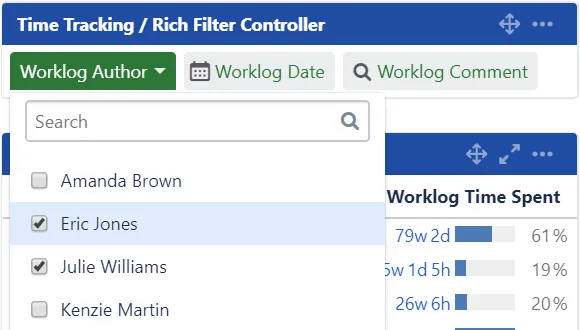
Extend your Rich Filters for Jira Dashboards with statistics, charts & filters based on work logs. Build interactive dashboards to visualize the time spent by user or by custom time period.
Time series reporting on time tracking data
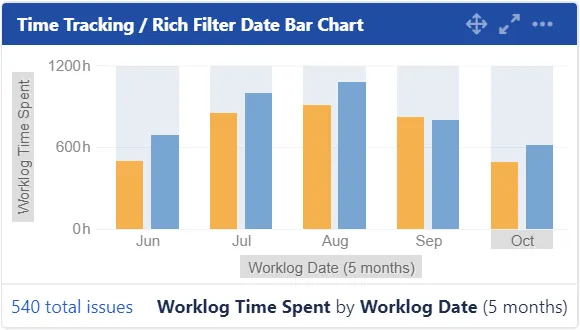
Display historical data using date bar charts and time series statistics and charts based on the Worklog Date & Worklog Time Spent. See how time spent has evolved over time. Export gadgets & dashboards to PDF.
Advanced statistics and filters on work logs
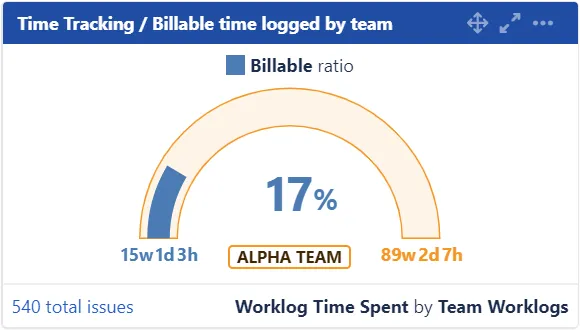
Use the Worklog Query Language (WQL) to define custom work log queries. Use custom work log queries in all rich filter gadgets to compute and display meaningful time tracking metrics and more.
More details
Rich Filters::Time Tracking Dashboards is an extension for the Rich Filters for Jira Dashboards app. Use Worklog Query Language (WQL) to power advanced statistics, filters and reporting on work logs. Base filters and statistics on worklog attributes including:
- Author
- Date
- Time spent Works with both native Jira and Tempo Timesheets worklogs These are added on top of the existing Rich Filters for Jira Dashboards key features: quick filters on dashboards, colors, tags & views, advanced stats & charts, export to Excel and more.